

In a world where “I’m at the coffee shop” can mean anything from a trendy café to a gas station with a questionable brew, sharing your exact location is a game changer. Imagine being able to send a pin location to your friends with just a few taps on your iPhone. No more endless back-and-forth texts or vague directions that leave everyone scratching their heads.
Understanding Location Sharing on iPhone
Location sharing enhances communication by providing precise directions. Sending a pin location from an iPhone simplifies meet-ups and avoids misunderstandings.
What Is a Pin Location?
A pin location represents a specific point on a map, marked for easy identification. Users can create a pin to highlight where they are or where they want someone to go. This feature utilizes GPS technology to ensure accuracy. Pin locations can vary from a favorite café to a friend’s house. Sharing these pins enables recipients to view the exact coordinates, making navigation straightforward.
Why Texting a Pin Location Is Useful
Texting a pin location saves time by minimizing back-and-forth messaging. Friends receive clear directions without deciphering vague descriptions. When someone shares their pin, it ensures everyone heads to the right place, reducing the chances of getting lost. This method also proves beneficial in emergencies when quick location sharing is essential. Recipients can open the pin location directly in their maps app, simplifying the journey ahead.
How to Text a Pin Location on iPhone
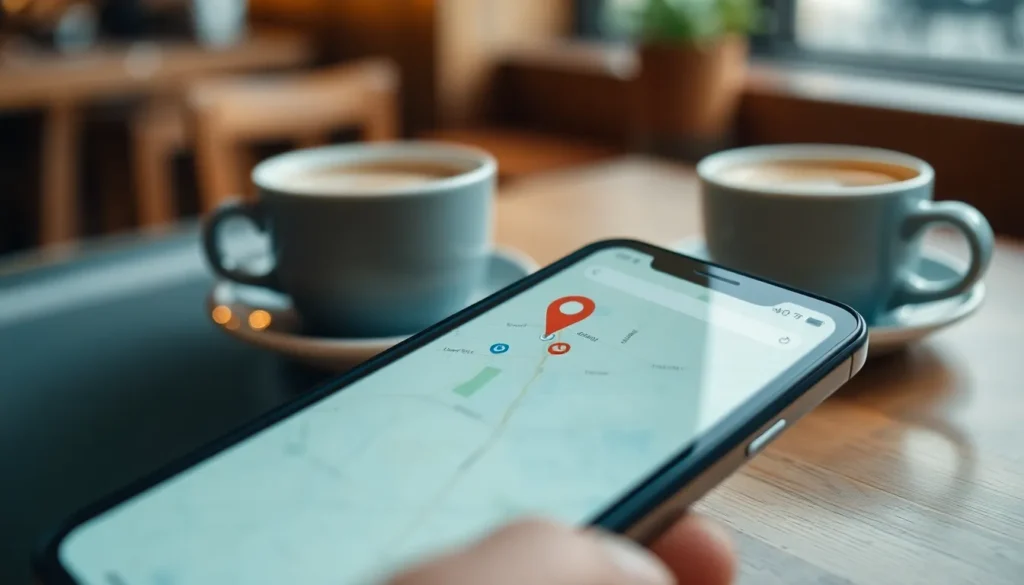
Texting a pin location on an iPhone simplifies meeting up and sharing exact places. Users can send precise locations with just a few taps.
Step-by-Step Guide to Share Your Location
- Open the Maps app on the iPhone.
- Search for the desired location, like a favorite café or a friend’s house.
- Tap on the name or address of the place displayed at the bottom of the screen.
- Select Share and choose the messaging app to send the pin.
- Type a message if needed, then hit send.
The recipient receives the pin location, allowing them to open it directly in their maps app.
Tips for Effective Location Sharing
- Use landmarks to clarify locations, improving understanding.
- Avoid sending locations in busy areas to prevent confusion.
- Include instructions if the place is hard to find or requires navigating.
- Verify the pin before sending, ensuring accuracy.
- Follow up with a quick text if needed, confirming they’ve received the location.
These tips enhance the clarity of location sharing and assist in avoiding misunderstandings.
Common Issues and Troubleshooting
Several issues can arise while texting a pin location from an iPhone. Addressing these problems ensures smooth communication and accurate sharing.
Location Services Not Working
Location services may sometimes malfunction, impacting pin sharing. First, the device’s settings may need adjustment. Ensure that location services are enabled in the privacy settings. Additionally, an app might require permission to access location data. Users should also check if they are connected to a reliable internet source. In some cases, a simple restart of the iPhone can resolve temporary glitches. If problems persist, updating the device’s software could provide a fix.
Inaccurate Location Pin
Issues with inaccurate location pins can confuse recipients. Users may accidentally place the pin without a proper map view. Zooming in on the map before dropping the pin ensures accurate positioning. Additionally, verifying the pin with recognizable landmarks aids in clarity. If the pin points to the wrong location, dragging it to the correct spot can make a significant difference. Users may also confirm that their current location matches what they intend to share. Adjustments to the pin location improve navigation and enhance communication.
Alternatives to Texting a Pin Location
Sharing a location doesn’t always require texting a pin. Other methods can also simplify the process.
Using Other Messaging Apps
Many messaging apps allow location sharing. Apps like WhatsApp, Facebook Messenger, and Telegram provide features for sending precise locations. Users can select their current position from a map or pinpoint a specific place. For instance, WhatsApp lets users send their live location, enabling friends to track movements in real-time. Seamlessly integrated maps enhance navigation accuracy. By using these platforms, senders ensure recipients receive clear directions without confusion.
Sharing via Social Media
Social media platforms offer a convenient way to share locations. Facebook, Instagram, and Twitter support location tagging in posts and stories. When users tag a location, friends can click on it for detailed navigation. Sharing in this manner can help connect with others at events or popular venues. Users can quickly notify friends of their whereabouts, encouraging meet-ups. Posts with location tags also increase engagement, making interactions more dynamic and informative.
Texting a pin location on an iPhone streamlines communication and enhances navigation for everyone involved. By sharing precise locations, users can eliminate confusion and ensure that friends arrive at the intended destination without unnecessary delays. The process is simple and efficient, making it an invaluable tool for both casual meet-ups and urgent situations.
With the ability to send accurate locations quickly, users can feel confident that their friends will find them easily. Embracing this feature not only saves time but also fosters better connections in an increasingly mobile world. By mastering the art of location sharing, individuals can enhance their social interactions and navigate their surroundings with ease.


